X
Skills

Python
The very first programming language I learned, Python was what formed my passion for programming and taught me the fundamentals for coding in general.

HTML/CSS
The backbone of every website, HTML has become one of my most used languages in my career, being a core part of many web projects I have worked on. CSS is also my best friend when it comes to making my sites look presentable.

JavaScript
The more I work with JavaScript, the more I realise what is possible with it. Just when I think I begin to reach the extent of what it can do, I stumble into something new that is possible with JavaScript.

PHP
When I learned I could manipulate webpages to behave differently whenever a user requests it from a server, it made me look at web development from a whole new perspective. I started seeing how other websites utilize this language and just how much utility it provides.

SQL/MySQL
Thankfully, we have computers to take care of all the information and data that needs to be stored from a website, and luckily someone made SQL so we can work with said data.



MERN Stack
(MongoDB, ExpressJS, React, NodeJS)
The MERN Stack just feels like an all-in-one package for web development. You have MongoDB providing a simple to learn database system and it's unique use of clusters and fetch methods. You have Express doing some hefty work behind the scenes through routing and custom logic thanks to middleware. You have React giving your site a fancy coat of front-end paint and saving you time programming thanks to it's nifty component system, and finally you have NodeJS. Acting as the backbone for your networking, core server logic and runtime environment.


Unity/Unreal Engine
I've always enjoyed games since my childhood, and I always wanted to learn about how they were made as a kid. So much time was spent creating and programming small games for me and my friends to play, whether it was small Scratch games in middleschool, or more advanced projects with PyGame in highschool, I always loved coming up with systems/solutions to the digital problems that arose during development.
Fast forward to today, and I now know how to properly work with some industry standard game engines like Unity and Unreal Engine. Even though I haven't made any game-of-the-year-winner projects (yet), I still like firing up these programs and seeing what I can create. These engines are also what introduced me to C# and the tools it brings to the table.

Blender
I loved making stop-motion animations as a kid, and I constantly enjoyed watching the 12 principles of animation by Alan Becker (great video series, I highly recommend). I always thought "man, wouldn't it be neat if I wasn't restricted to the physical resources I had on hand to make animations?". Thanks to Blender, I now have that opportunity, whether it's making 3D assets for use in games or making custom rendered images. I've grown to appreciate the world of 3D software and animation and I love simply learning about it and seeing what other people have made with it.

The Adobe Creative Suite
Tools like PhotoShop and Illustrator have been invaluable to me when I create things such as graphics, logos or mockups for my clients and their projects. For video projects, Premier Pro feels like the ultimate multitool compared to previous free software that I have used.
Specifically, I have training in:
- Photoshop
- Illustrator
- Premier Pro
- After Effects
- InDesign
- Xd
- Lightroom

WordPress
A great kickoff point for any website to build on. WordPress gives me the helpful content managment and easy visualizations of other software like Squarespace or Wix, but allows for complete control and customization through it's use of custom plugins, themes, and more. If a plugin or theme doesn't exist as a soltion to your problem, then you can just make it yourself and tailor it specifically to your project.
X

Teal Up Website
Seedtrakr Website Redesign
E-Commerce Website
The Vault Website
X
Tealup Website
Client: Shannon Chapman, Shilo Military Family Resource Centre (MFRC)
Project Runtime: September 2024 - April 2025
My capstone project for my final year of college. Myself, and two other classmates were tasked with creating a website to help spread more awareness for an organization associated with the local Military Family Resource Center, called Teal Up for Military Kids. Teal Up for Military Kids is a nationwide military holiday that takes place during the month of April, it stands to recognize the strength and resilience of children in military families.
What started as a small passion project in 2020, quickly grew into a nationwide celebration, with service centres across the country adopting April as the "Month of the Military Child". However, despite the rapid expansion, the only online presence Teal Up had were some miscelaneous blog posts and a Facebook page.
Project Goals:
1: Increase Teal Up's online presence through a Website and a social media strategy.
2: Create a "Hub" to unite all participating MFRC's and act as an information source for newcomers, with things such as family resources, an event calendar, blog posts, etc.
3: Create an easy-to-manage backend system to be passed off to MFRC staff for website management.
So after some discussion between my group and Teal Up's founder: Shannon Chapman, we decided that the best course of action was to build them a custom made WordPress site to give them a better online presence.
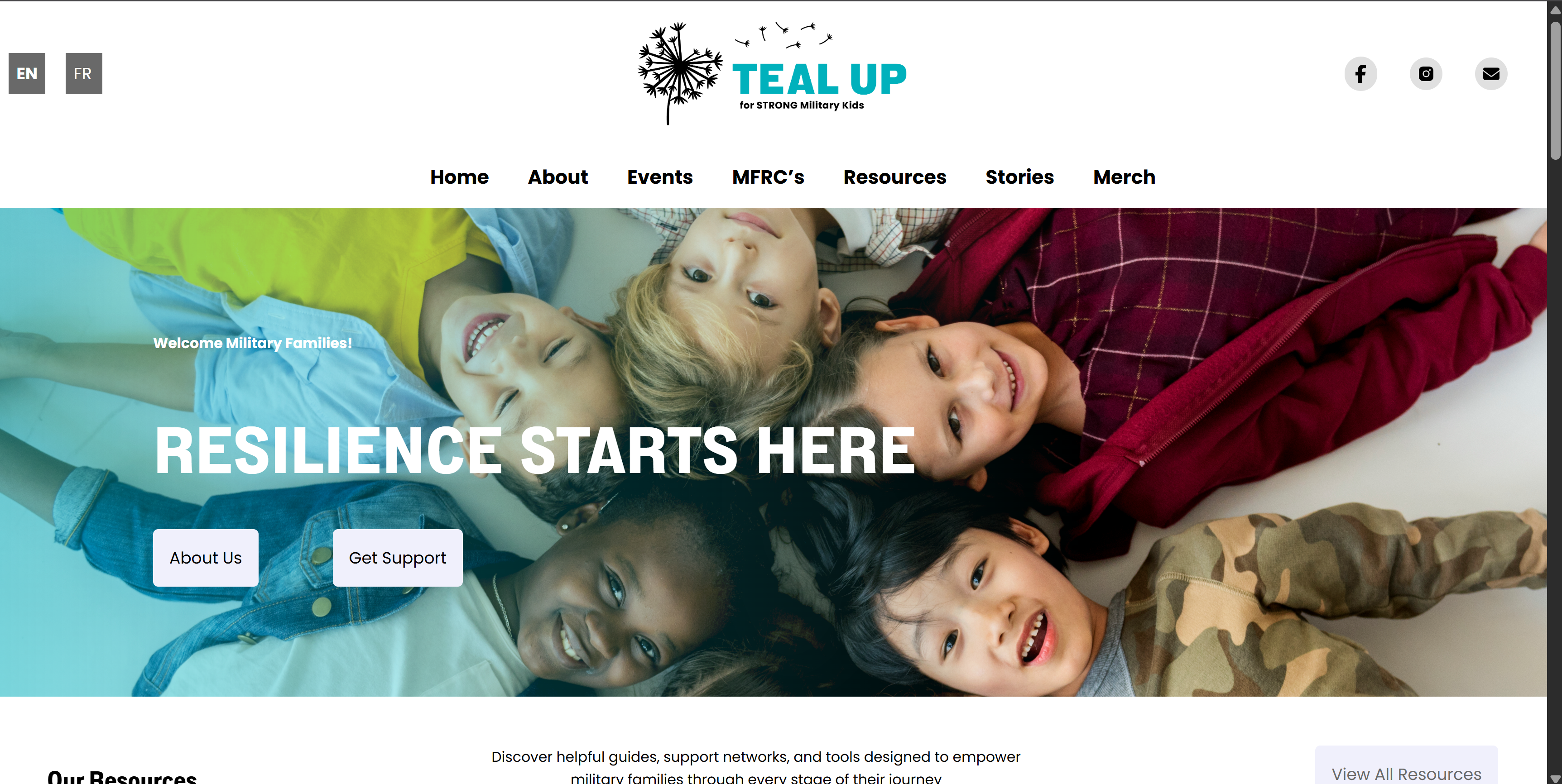
As a primary web developer, I worked in tandem with my group to produce mockups and designs for the website, before turning those designs into a custom wordpress website with a custom built theme. I split the workload of developing the website with the other web developer in my group, with me tackling the Home, Resources, and Stories pages.
Using a mix of HTML, CSS and PHP, we constructed a custom theme to act as the core visuals for the website. The homepage consists of basic up-front information that is most relevant to anybody visiting the webpage, but also features some additional information such as a map that displays the locations of all Military Family Resource Centres across Canada.
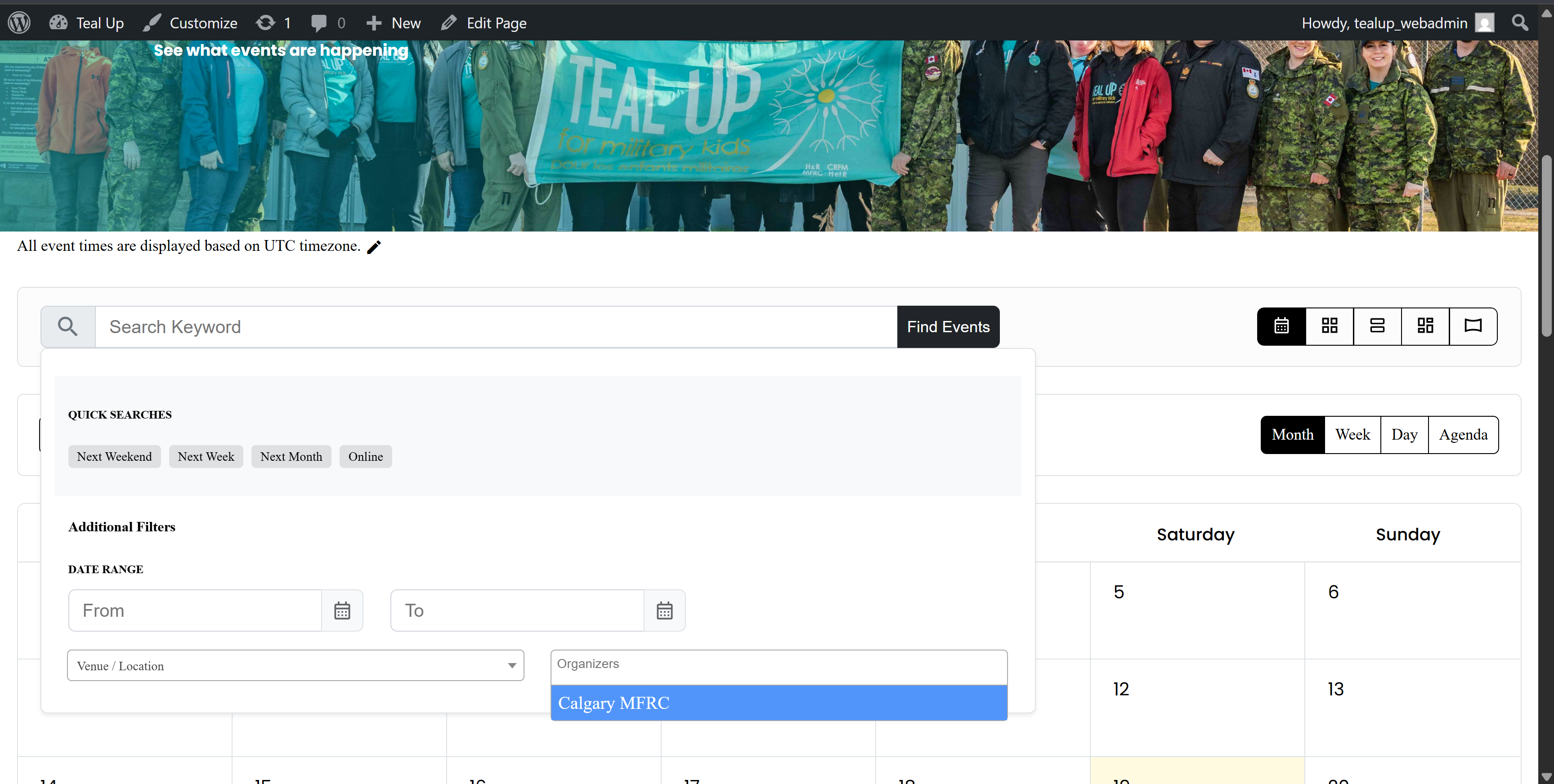
On the resources page and the stories page, both display multiple resources that can be viewed by clicking on them. To accompolish this without having to make a new page for each story blog or new resource, the information is contained within their own custom post types, which is easier for the MFRC employees to create and edit. Whenever the stories or resources pages are accessed, php code will call the WordPress loop and request any posts that are tagged with either the story tag or the Resource tag.
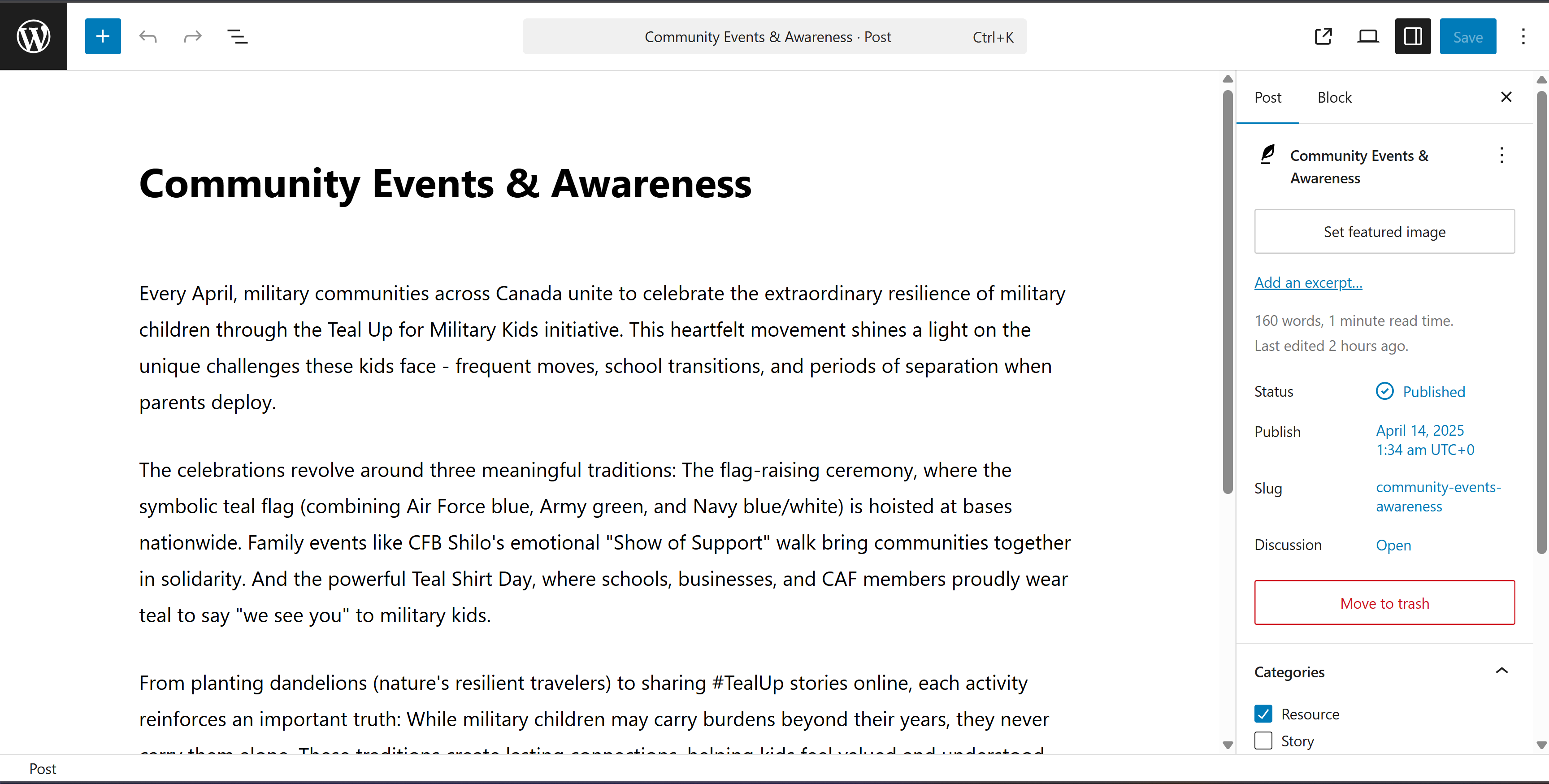
Side note: Unfortunately, due to issues with the domain after the handover, the website is not currently up on the internet. The images above were directly captured from the website running in my local environment during the projects development.
Seedtrakr Website Redesign
Client: Rimmer Technology Partners
Project Runtime: June 1st 2024 - June 28th, 2024
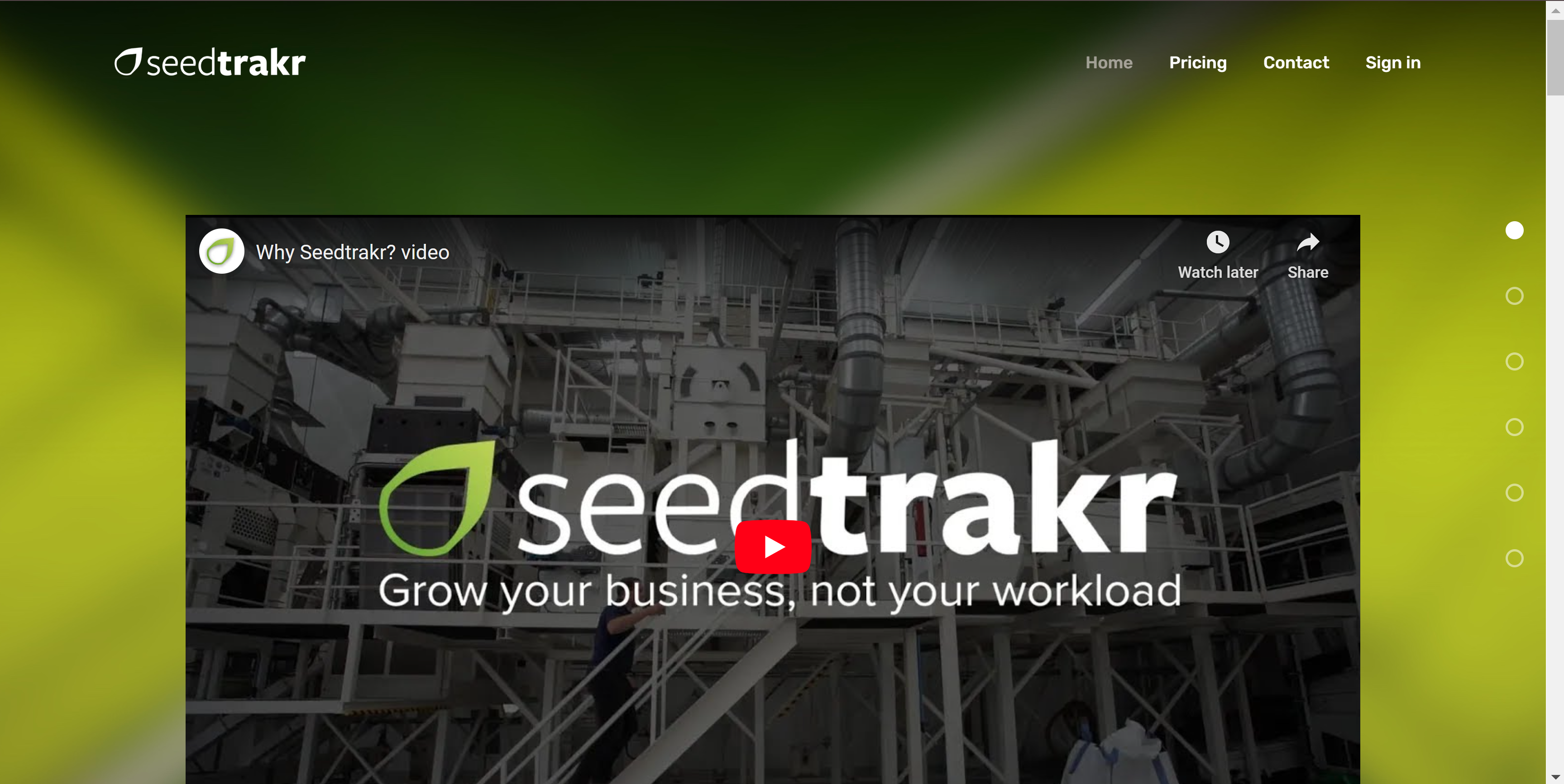
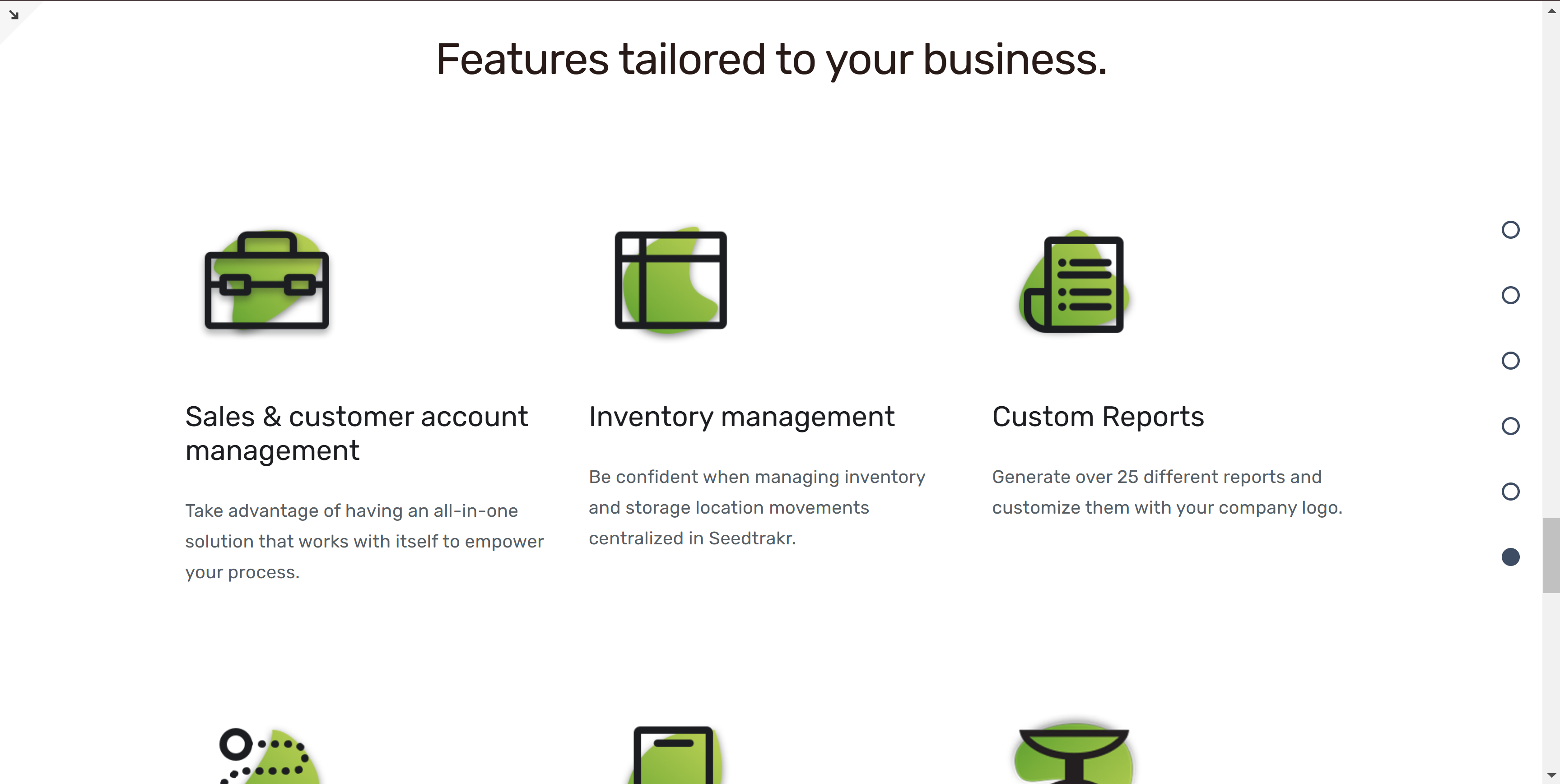
In June of 2024, I was tasked with redesigning a website for an RTP company product, Seedtrakr, which is an online tool for seed growers. The website previously ran off of an old version of Sqaurespace that was starting to show it's age with some technical difficulties popping up. So while I upgraded the website to the newest Squarespace version, it was decided that the website should receive some visual enhancements as well.

Project Goals
1. Redesign the Home, Pricing, and Contact pages to have a more appealing visual style.
2. Upgrade the website from Squarespace 7.0 to 7.1
3. Keep the layout of the UI similar to the old version while expanding on it with new elements.
4. Fix mobile / screen layout issues caused by the upgrade from 7.0 to 7.1
5. Update old site information to be more relevant
A main problem that occurred in the upgrade from Squarespace 7.0 to 7.1, was the removal of the tablet screen layout from Squarespace. This meant only desktop views and mobile views could have unique layouts made for them, however this still affected many tablet sized screens and produced some strange alignment results with the UI.
To remedy this, I had to manually program in a tablet view layout for some specific elements that were affected by the lack of tablet view sizing.
Despite Squarepace's simplified nature and tools, I was still able to implement some more complicated features through the use of JavaScript, a prime example being the interactive demos in the features section on the home page.
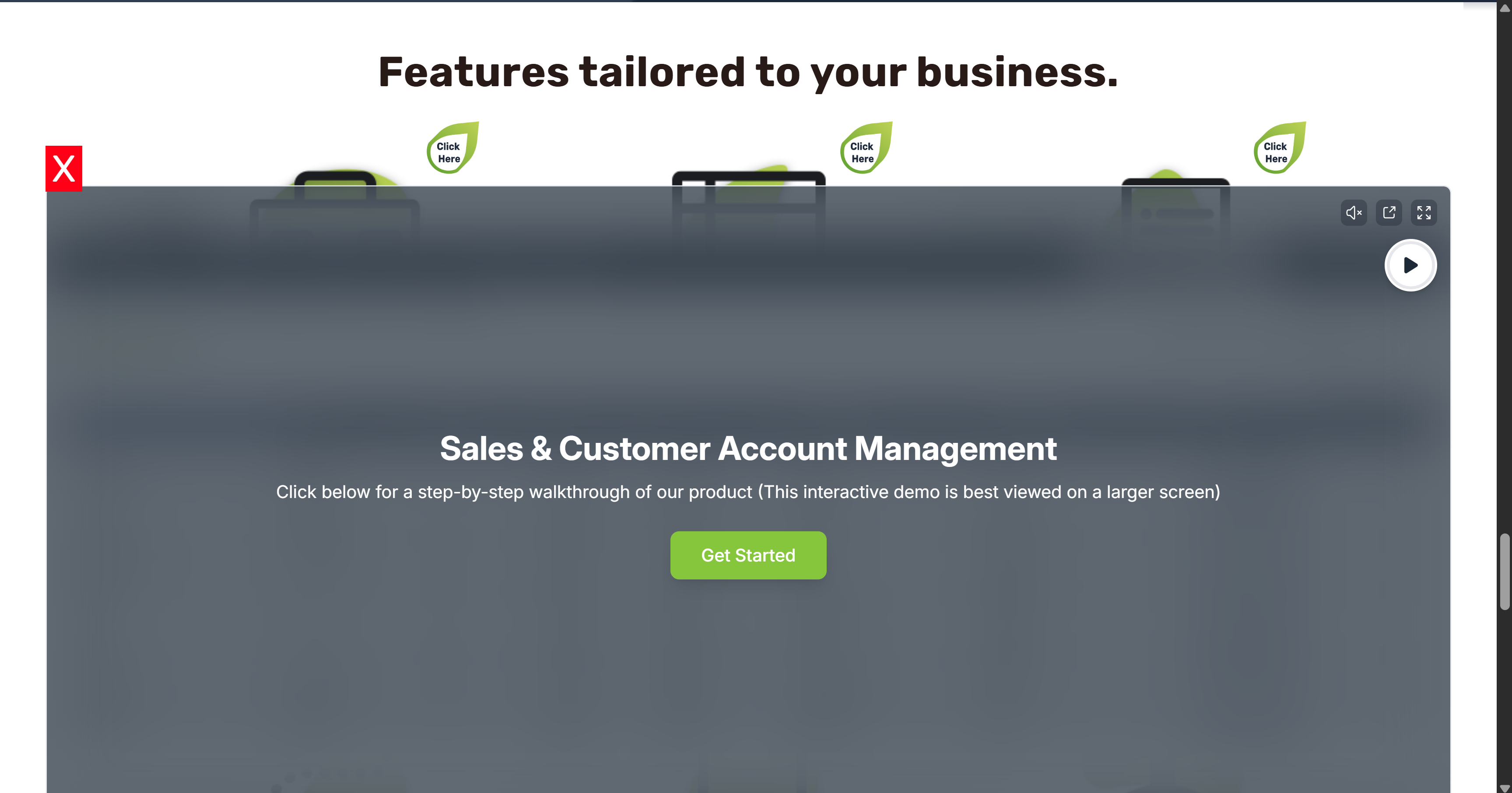
I was able to program small interactible buttons and have them interact with an API from the external online demo software we utilized called Supademo.
Iterations and Feedback
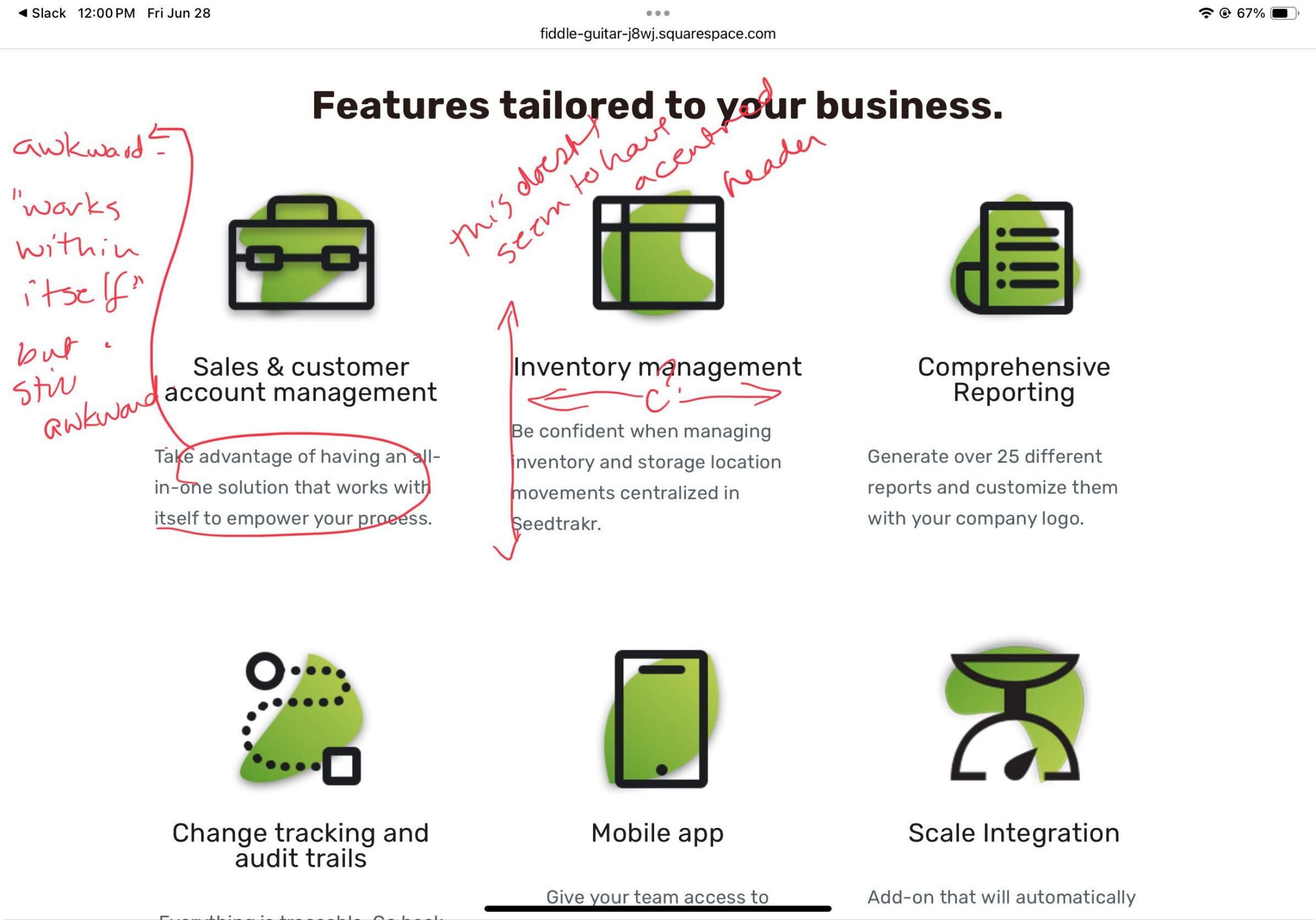
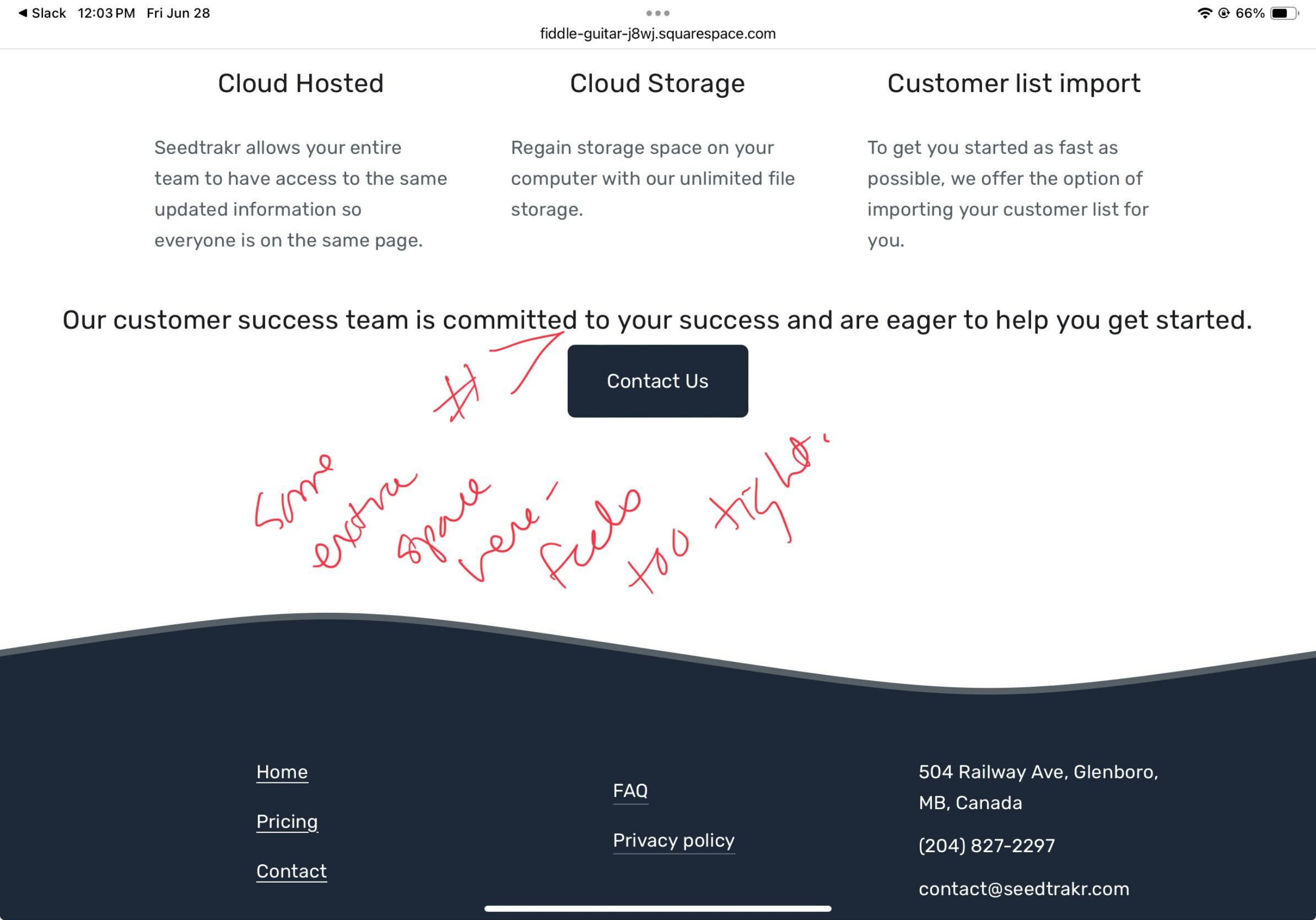
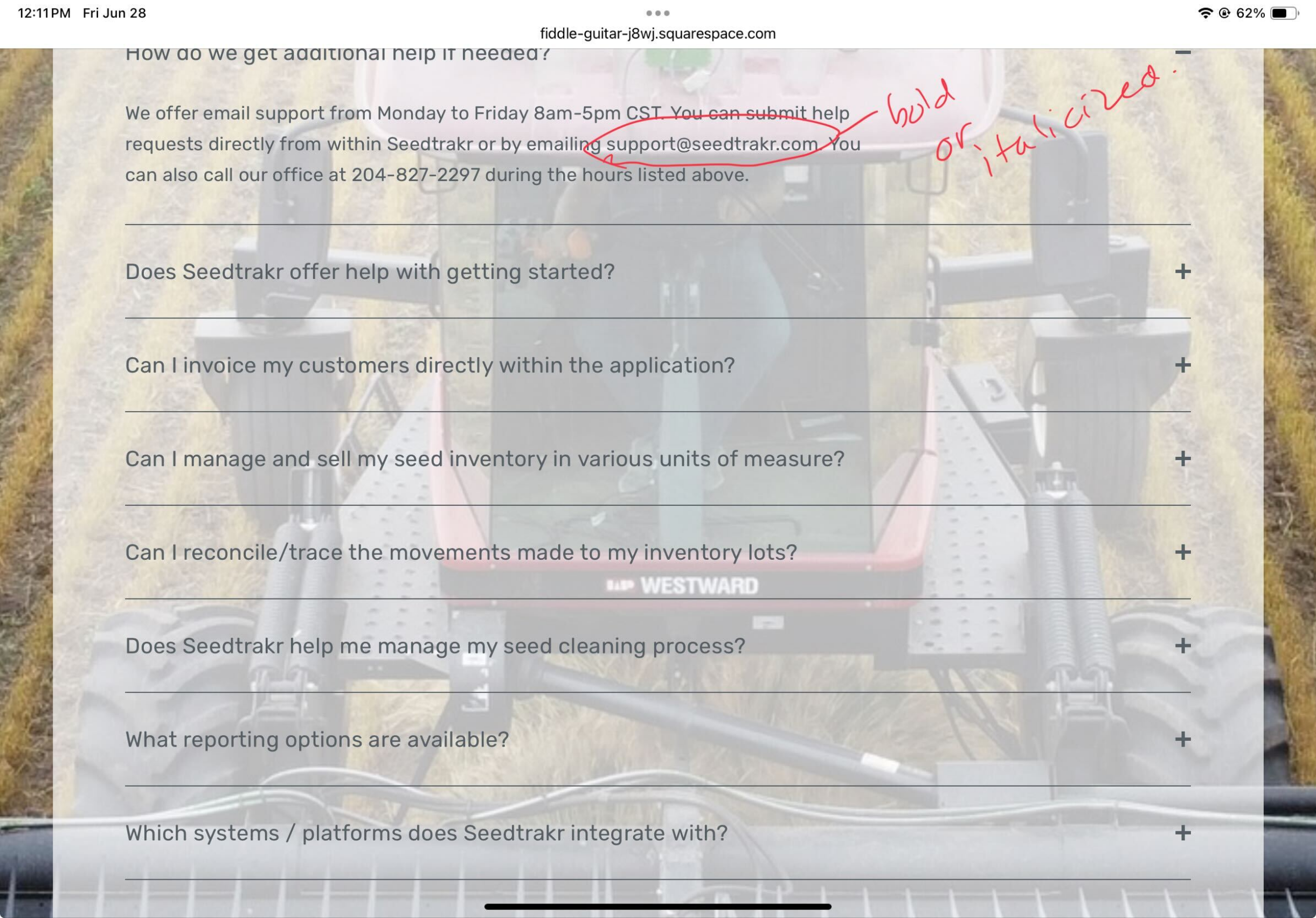
The process for gathering feedback and iterating upon my designs simply revolved around presenting the RTP team with a new iteration and then taking in and applying any feedback or ideas given, then I would simply repeat the process again until we eventually arrived at the final product.
After many changes and new additions to the website, it finally launched under the same domain on June 28th, 2024.
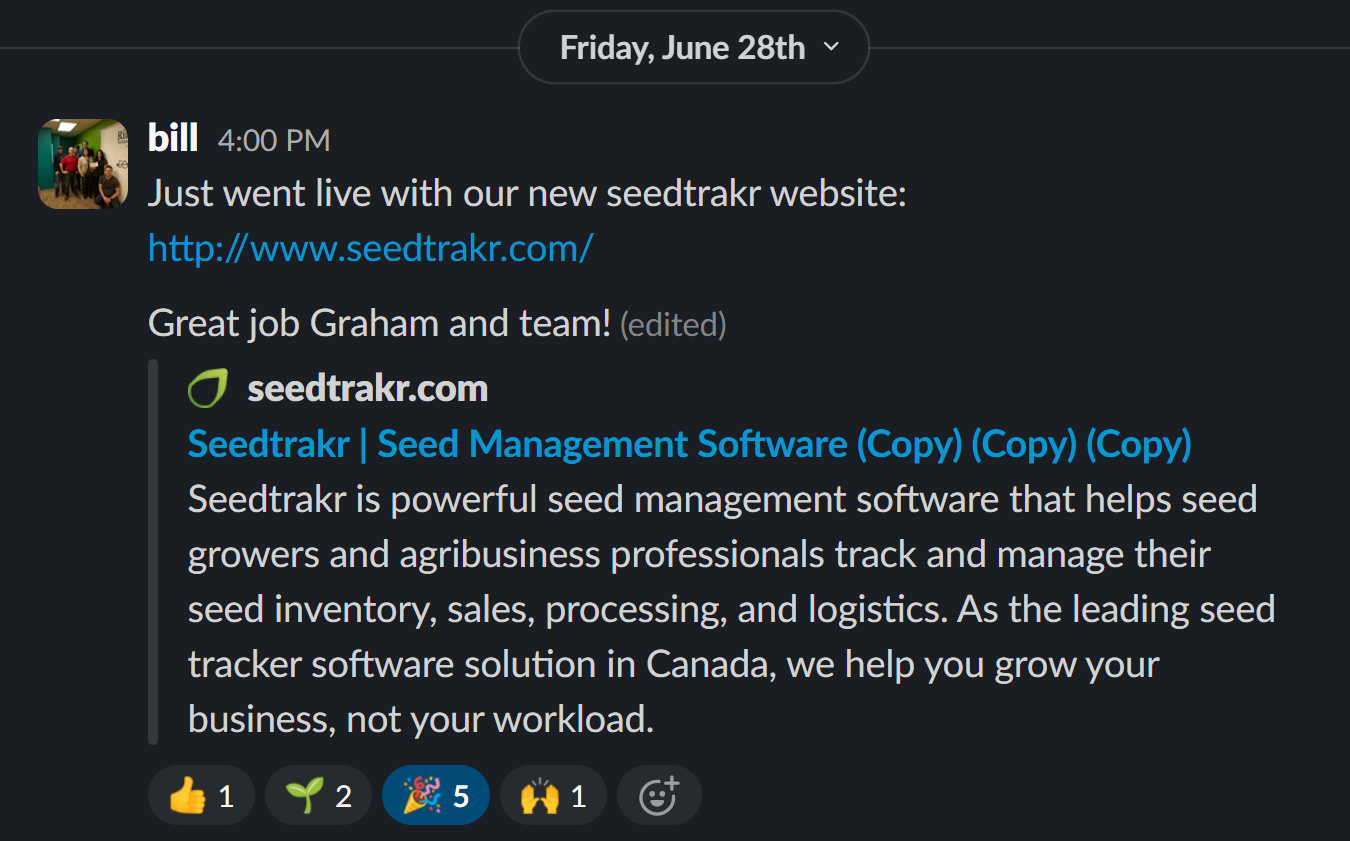
The website link is: https://www.seedtrakr.com/
I'm happy with the way this project turned out, there were little to no issues and the client was quite happy with my work. I was happy to be able to offer my skills to a local company, and give them something that would benefit their brand while also expanding my skills
Ecommerce Website
Client: Myself (College Programming Class Project)
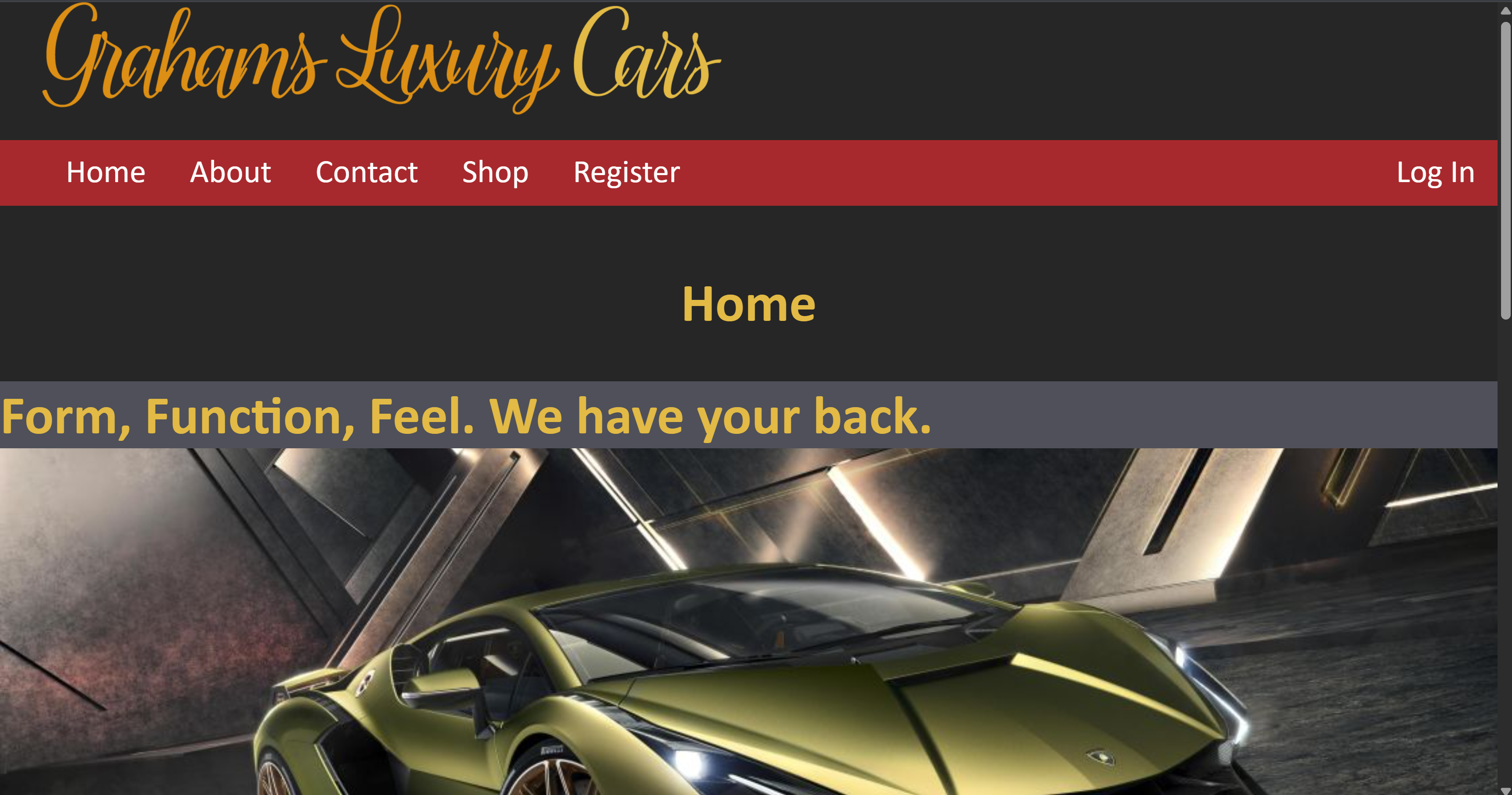
For my final project in my Backend Development class, I had to make an ecommerce website. It needed to have products that were pulled from a database as well as letting users create / login to accounts. I chose to do luxury cars since vehicles aren't usually purchased online and I felt it would be an interesting topic to pursue.
Project Goals:
1. Create an ecommerce website that contains standard parts of a typical ecommerce website, and allow users to "purchase" cars from the website.
2. Set up a database on a server that handles user accounts, products, and orders.
3. Bring data from the database and display the data on the website UI.
4. Construct a website utilizing PHP, MYSQL, HTML, and CSS.
5. Develop the website locally before transferring it to a live server.
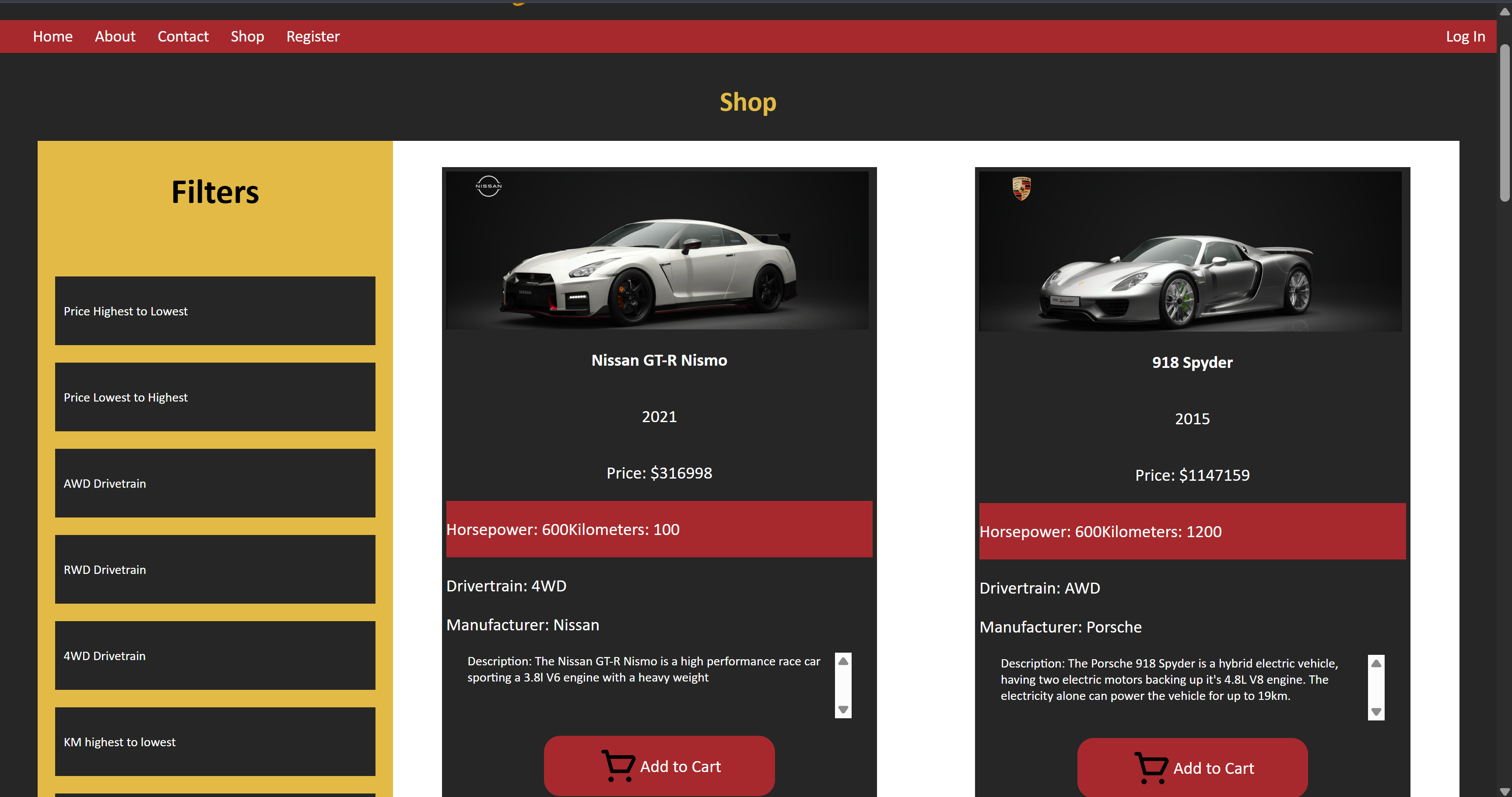
In the database, the products table that stores each car contains fields that hold data entries for relevant information most car owners look for when shopping for a vehicle (price, year, drivetrain, etc.). However, what if some users want to sort the products by this data? When the product page loads, it runs a database query that grabs all the vehicles and their info from the products table, and then creates a new HTML 'div' inside of the existing 'div' that holds all the product tabs to organize the information. A PHP foreach loop handles this process for each entry retrieved from the database query before finally outputting all the products to the screen.
However since the page automatically does this before the page loads, how are we supposed to apply filters to it? Filters cannot be applied after the page loads because the PHP has already constructed the page and has finished it's code. In this scenario, I opted to make the different filter buttons as links that redirect to the same product page, but pass a number to the URL using the POST method, similar to a form.
Then prior to loading the database query, it checks if any filters have been applied in the URL. That number in the URL correlates to a specific filter SQL message that gets assigned to a variable before the variable gets appended onto the upcoming SQL database query (EX. Filter #1 is equal to ORDER BY price DESC). The database query then grabs the items from the products table in the most relevant order for the filter.
Each table in the website's database stores it's own data for their relevant purpose, but sometimes data in one table may depend on the value of data in another table. This is where KEY's come into play.
A primary key is the true original value for a data entry that is contained within a table. A foreign key is treated as a reference to that primary key. This way, the primary key does not need to be manually inputted into each table which would cause problems if the original data is updated. The database instead just checks what the value of the primary key is whenever it needs to know, and assigns it to the foreign key temporarily. For my specific database, I needed to set my tables up in a way that allows the 'Orderinfo' table to accurately record it's data whenever a new order is placed.
This website was the final project in my Backend Development course. I learned a lot of valuable skills from this assignment and it gave me a sense of accomplishment knowing that I had the skills and knowledge to potentially make something like this for a future client.
I was able to:
1. Learn how to link database tables together using primary and foreign keys.
2. Utilize MYSQL to create HTML content and create, update, read, and delete information from database tables.
3. Utilize PHP form validation to properly format my HTML form data.
4. Learn about ecommerce websites and the techniques they utilize to work successfully.
5. Learn how to program the ability for users to create/edit their own accounts
6. Learn how to successfully utilize cookies and PHP sessions to retain user login information across pages.
While the theme of this ecommerce website is strange in practice due to the product it offers (most cars are purchased in person for a multitude of reasons), I had fun making this website. I was able to see how other car dealerships handle products on their website and how I could apply those techniques to my idea.
The Vault Salon & Wellness website
Client: Sara Smith & The Vault
This is an example of the client work I have done, creating custom websites for local business owners near me.
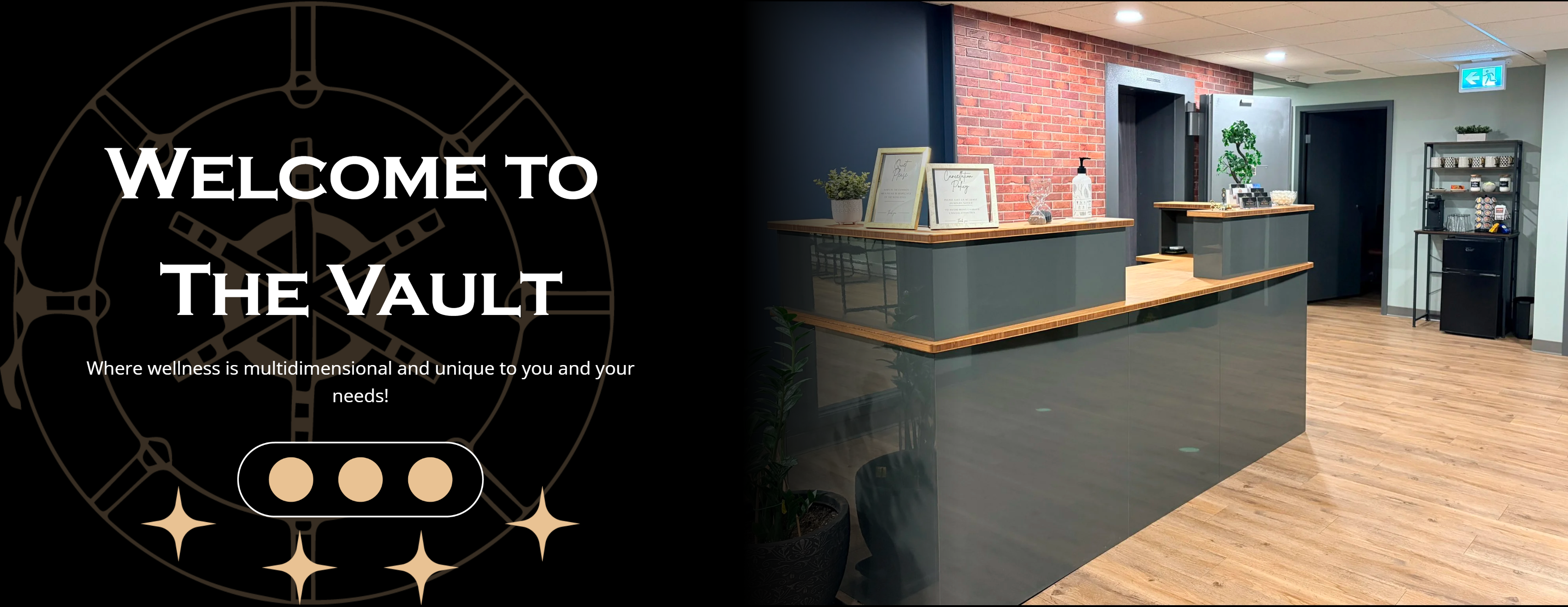
I was contacted by Sara Smith about the creation of a new website for her business, The Vault Salon and Wellness. Previously, the only online presence the business had was a simple facebook page for advertising and annoucements.
For this project, I chose to use Squarespace as the platform. I primarily chose Squarespace because it's simple tools would allow my client to make quick and easy changes to the website without having to know much about web development or coding languages.
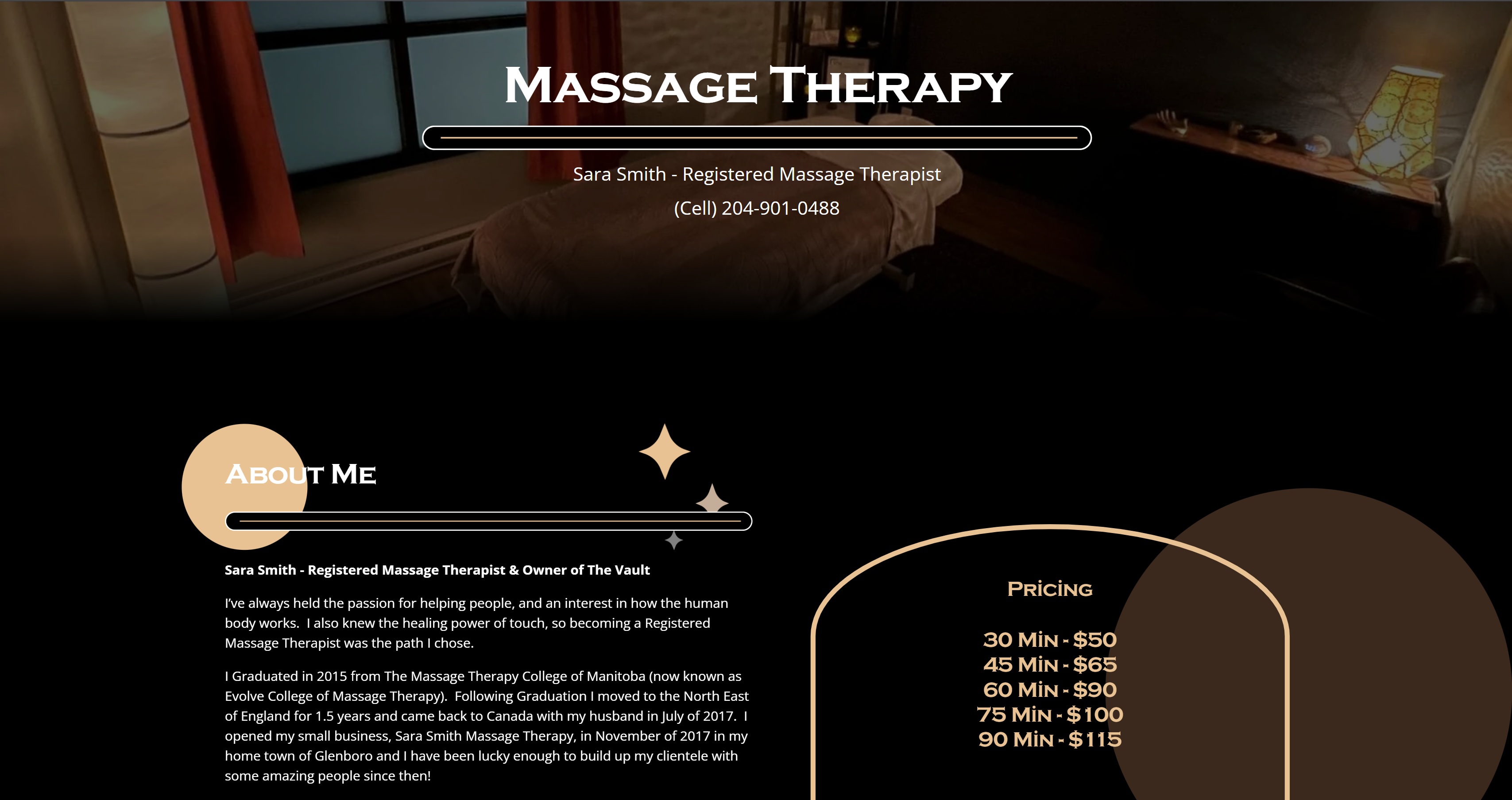
The website features a simple layout with information about the business and the many services that operate under it. Each service has it's own page describing what is offered and prices for the things they offer.
X
About Me
Hi! I'm Graham
I'm a Web Developer who is interested in all things technology and coding. I am the kind of person who likes peering inside of things and seeing what makes them tick, and software is no exception. Websites, games, graphics, videos, whatever the subject, I love learning something new and working with others to create great things.
When I'm not coding, you can find me playing video games, dabbling in Unity, learning some new 3D techniques in Blender, or giving my dog a belly rub.
Contact: grahammcgill18@gmail.com

Skills
Projects
About Me